
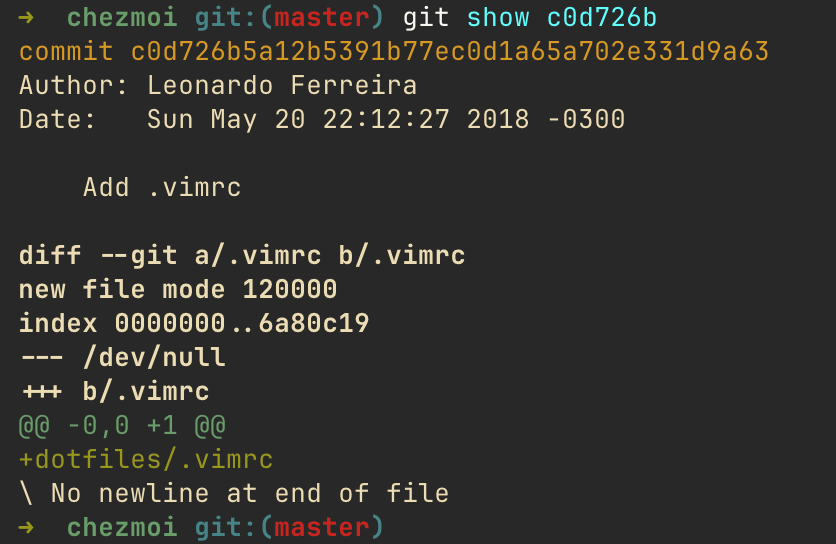
My first commit in my dotfiles git repository is from 2018. It’s been already more than 8 years dealing with these files and I just realized that I’m getting old.
Over these years, I must have used about 9 to 10 different laptops, counting both personal and work computers. And I’ve used several ways to sync all the files: GNU stow; bash script with only cp commands; linking the files with ln; using them as a bare repository. I also tried once to create separate branches for personal/work, with a public installer script, but it was not practical at all. I feel like all these methods had something off when I was using them, and sometimes they needed a manual work/fix at the time I was configuring the new laptop.
Now, using chezmoi, I can say that setting up a development setup in a new machine has never been easier.
Thankfully (or not), I didn’t go to the nix rabbit hole of managing the files, because I think I would have spent hours and hours learning trying to get to the perfect config, while great people/developers I follow are apparently leaving this method: https://carlosbecker.com/posts/bye-nix/.
How chezmoi works
You can read it at https://www.chezmoi.io/, but I will try to explain a bit.
Basically, chezmoi is a command that manages all the files for you. When you use it to fetch your dotfiles, they’re cloned in a specific directory, and you can use all the chezmoi commands.
You can change files, preview the changes and only then apply it; you can create templates to have different configs for personal and work computers (like having only one .gitconfig that will work with several emails); you can run scripts that will be executed at specific moments. And all these linking files works by default when you use chezmoi apply.
It has several subcommands that make easier to manage the files, like adding, editing, testing the apply, etc. For example, if you want to go into the your files, you can use chezmoi cd; if you want to add/push, etc. you can use the git commands followed by chezmoi, like chezmoi add/commit/push; or if you want to understand what the apply command will do, you can use chezmoi apply --verbose --dry-run, and several other commands.
I will share my use case and the configuration I made so maybe you can understand it.
My setup
The main use for it is, of course, linking all files, etc., but we can do much more with it.
I have this script .chezmoiscripts/darwin/run_onchange_after_configure-defaults.sh that sets up some macOS settings. If you notice the script name, there’s the run_onchange prefix. So if you thought that it runs only when it changes (the file content), you are right! The after_ also means that will be executed only after all files, directories, and symlinks have been updated.
I have another scrip that installs all the packages I need using brew: .chezmoiscripts/darwin/run_onchange_before_install-packages.sh.tmpl. The before_ means that it will be executed before any files, directories, or symlinks are updated, so I don’t face any command not found errors as the package is not installed yet. And it’s also a .tmpl file, which means it’s actually a template for a bash script. That is because the content of the script will change based on a variable I have configured. In this case, it changes if I’m running it in a personal or a work computer, as I don’t need some “work packages” in my personal machine and maybe vice-versa.
These kind of manageability doesn’t exist in any other tool I have used so far. I know that nix probably has it, but it has a learning curve I’m not willing to climb right now. And that’s why I will probably stick with it, simplicity also matters.
The initial setup
So, let’s suppose I just got a new computer and I want to setup everything. I open the terminal and run the following command:
chezmoi init --apply $GITHUB_USERNAME
This will clone the github repository, and apply/link all the files and run the scripts (if you have it). And that’s it! Since chezmoi is designed to be idempotent, if you run it multiple times the result will be the same.
Templates and the in-depths of the files
chezmoi supports normal files and template files. Normal files gets linked normally, while templates have to first get the value of the variables inside the template, and only then link them. This means that you can’t direct edit the generated file from the template (I mean, you can, but it will be overwritten if you run chezmoi apply as the change is not in the source of the truth: the template).
So, to edit a template, you use the command chezmoi edit. For example, since my .gitconfig changes whether I’m using my personal or work computer (the email is different), I use it as a template, so I just run chezmoi edit ~/.config/git/config to edit it if I want the new change to be persisted.
The config file
The template files fetches the variable values from the main chezmoi file, which is located in the chezmoi config directory (~/.config/chezmoi/chezmoi.toml), see docs. This is the content of my file, for reference:
[data]
  email = "[email protected]"
  sshkey = "~/.ssh/id_rsa_yubikey.pub"
  work = false
But, in my case, these values also needs to be different if it’s a work or personal computer, so we need to also create a template for that. Thankfully, chezmoi allows to have a template for the main config file. The location for this template is inside the root chezmoi dir (.chezmoi.toml.tmpl) and there is a special command to edit it: chezmoi edit-config-template.
This kind of templating is awesome and super useful as we want different values for different computer and files.
Conclusion
I’ve been using this tool for months now and I couldn’t recommend it enough. It’s simple to learn, the day-to-day operations are always the same: edit a template (chezmoi edit) or add a file (chezmoi add), go to the dir (chezmoi cd), apply, commit and push. Easy.
References
While taking a look for other chezmoi users, the chezmoi creator dotifile’s was helpful to understand the power of this tool, you can also check it: twpayne/dotfiles. Also, a few commands that you will probably use (this is also for me to remember in the future):
chezmoi cd
chezmoi edit-config-template
chezmoi add
chezmoi git commit
chezmoi apply --dry-run
chezmoi init
chezmoi data
chezmoi uptade
chezmoi status
chezmoi execute-template